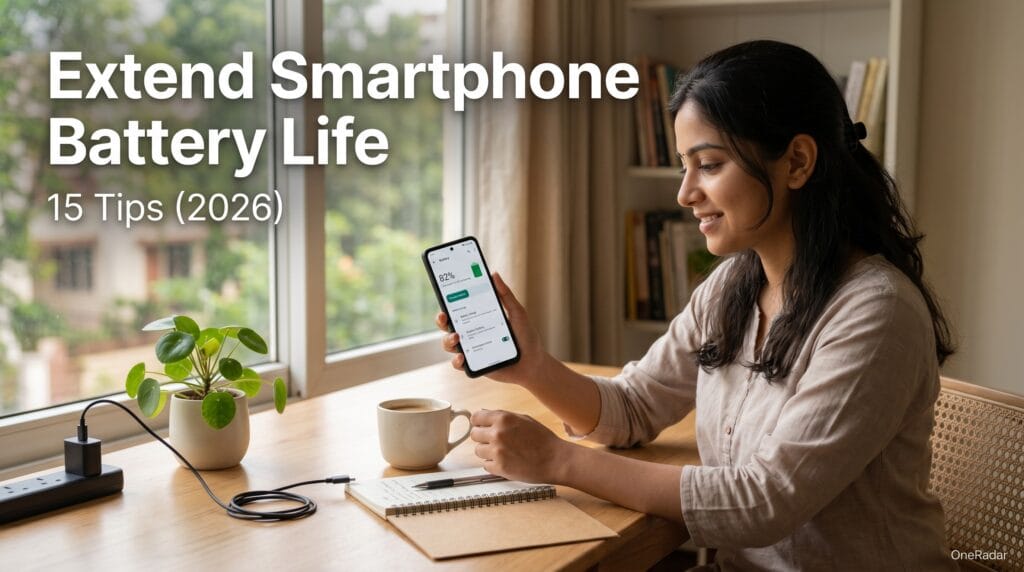
How to Extend Smartphone Battery Life in India — 15 Tips That Actually Work in 2026
The fastest way to extend smartphone battery life in India is not the same as the generic advice you find on global websites — because Indian conditions are genuinely different. Ambient temperatures in Indian cities regularly exceed 40°C from April to June. WhatsApp usage patterns in India are heavier than almost any other country. Power cuts mean phones often charge at irregular times. And most Indian buyers keep phones for 3 to 4 years — meaning long-term battery health matters as much as daily endurance.
This guide covers 15 proven tips to extend smartphone battery life in India — covering both daily usage habits that save battery each day and long-term charging habits that prevent your battery from degrading faster than it should in Indian conditions. Every tip works on Samsung, Xiaomi, Redmi, OnePlus, Realme, Vivo, iQOO, and iPhone.
Why Indian Conditions Drain Smartphone Batteries Faster
Before the tips — understanding why batteries drain specifically faster in India helps you prioritise the right fixes.
Heat is the biggest battery killer in India. Lithium-ion batteries become measurably less efficient above 35°C. In Indian summer heat — 40°C to 45°C ambient temperatures across Rajasthan, Telangana, Maharashtra, and most of North India — your phone’s battery is under constant thermal stress even when you are not using it. A phone sitting in direct sunlight on a surface reaches internal temperatures of 50°C to 55°C within minutes. Each charge cycle at high temperature permanently degrades battery capacity faster than the same cycle at 25°C. After one Indian summer of heavy heat exposure, some phones lose 5 to 8% of battery capacity that they never recover.
WhatsApp is India’s biggest single battery drain. The average Indian WhatsApp user receives and sends significantly more voice messages, videos, and media than users in other markets. WhatsApp’s constant background activity — downloading media, maintaining connection for message delivery, processing notifications — runs continuously regardless of whether the app is open. On many Indian phones, WhatsApp alone accounts for 15 to 25% of daily battery consumption.
Frequent charging during power cuts disrupts battery chemistry. Irregular charging — partial charges before a power cut, then resuming charge after power returns — is more stressful on battery chemistry than a complete charge cycle. Over time, irregular partial charging contributes to faster capacity degradation.
5G radio consumes more power than 4G. As Indian buyers upgrade to 5G phones and use Jio and Airtel 5G networks, the 5G radio modem’s higher power consumption affects daily battery life. In areas where 5G signal is weak — the modem works harder to maintain connection, consuming even more power.
DAILY TIPS — Extend Smartphone Battery Life Every Day
Tip 1 — Enable Dark Mode on Everything
Dark mode is the single most impactful battery saving tip for any Indian buyer with an AMOLED display — and every phone above ₹10,000 in 2026 has an AMOLED screen.
On an AMOLED display, black pixels are switched off completely — consuming zero power. Dark mode changes app backgrounds from white to black, turning off the pixels that display those backgrounds. The battery saving from dark mode varies between 15% and 30% depending on screen brightness and how much white content is normally displayed.
Enable dark mode system-wide on Android: Settings → Display → Dark Mode → turn on. This applies dark mode across the entire system and all apps that support it.
Enable dark mode individually in apps that do not automatically follow system settings: WhatsApp → Settings → Chats → Theme → Dark. Instagram → Profile → three lines → Settings → dark mode. YouTube automatically follows system dark mode.
On iPhones: Settings → Display and Brightness → Dark. Select “Automatic” to have it switch to dark mode after sunset and return to light mode at sunrise — preserving comfortable reading in daytime while saving battery in evenings and nights.
The dark wallpaper habit amplifies this further. Using a completely black wallpaper on an AMOLED phone saves additional battery compared to a colourful photo wallpaper — because the wallpaper is always partially visible through notification shade and lock screen.
Tip 2 — Turn Off 5G When You Do Not Need It
5G connectivity consumes significantly more battery than 4G LTE. If you are indoors at home or in an office with Wi-Fi — you are not using mobile data at all. Keeping 5G radio active while on Wi-Fi wastes battery maintaining a radio connection you are not benefiting from.
Switch to 4G mode when on Wi-Fi or in low-5G-signal areas:
On Samsung: Settings → Connections → Mobile Networks → Network Mode → select LTE/3G/2G (Auto connect)
On Xiaomi and Redmi: Settings → SIM Cards and Mobile Data → your SIM → Preferred Network Type → 4G
On OnePlus: Settings → Wi-Fi and Network → SIM and Network → Preferred network type → 4G/3G/2G
On Realme and OPPO: Settings → SIM Card and Mobile Data → Network Mode → 4G
On Vivo and iQOO: Settings → Mobile Network → Network Mode → 4G
On iPhone: Settings → Cellular → Cellular Data Options → Voice and Data → LTE
Switch back to 5G when you are outdoors or travelling and need maximum data speeds. Creating this habit of switching between 4G and 5G based on context can add 45 minutes to 1.5 hours of daily battery life depending on your specific phone’s 5G modem efficiency.
Tip 3 — Reduce Screen Brightness Below Auto
The display is the second-largest battery drain on every smartphone after the cellular radio. At full brightness, the display on a typical 6.7-inch AMOLED phone consumes 800mW to 1,200mW — a significant fraction of a 5,000mAh battery’s output capacity.
Most Indian buyers keep auto-brightness enabled — which works well but often maintains brightness higher than necessary indoors because the ambient light sensor reads room lighting levels. Manually keeping brightness at 40% to 50% indoors saves meaningful battery versus the auto-brightness setting that might maintain 60% to 70% based on ambient light readings.
Reduce screen timeout: Settings → Display → Screen Timeout → set to 30 seconds or 1 minute. Every second the screen stays on after you stop using it is wasted battery. A phone set to 5-minute screen timeout left on a desk wastes 4 minutes of screen power every time you put it down.
Tip 4 — Control WhatsApp Battery Usage
WhatsApp is the single most battery-intensive app for Indian users. Three specific WhatsApp settings reduce its battery consumption without affecting your ability to receive messages.
First — disable automatic media download on mobile data. WhatsApp → Settings → Storage and Data → When using mobile data → uncheck Photos, Audio, Videos (keep Documents only). This prevents WhatsApp from constantly downloading forwarded media in the background, which runs the processor and radio simultaneously.
Second — turn off WhatsApp’s background refresh. Settings → Apps → WhatsApp → Battery → Battery Optimization → select “Optimize.” This prevents WhatsApp from running unnecessarily when no messages are arriving. Messages will still arrive when Jio or Airtel push them to your phone — you will simply not receive them 2 to 3 minutes early from background polling.
Third — mute large groups you do not actively participate in. Every notification from a large WhatsApp group wakes your phone’s screen and processor. Muting groups whose notifications you check manually rather than responding to live removes dozens of unnecessary wake events per day.
Tip 5 — Use Battery Saver Mode Strategically
Every Android phone and iPhone has a battery saver mode that automatically restricts background activity, reduces processor speed, limits display refresh rate, and dimming animations. Most Indian buyers enable it only when battery reaches 10% — which is too late to meaningfully extend the day.
Enable battery saver at 30% instead of 10%. From 30% to 0%, battery saver mode extends remaining usage time by 40% to 60% compared to running without it. Enabling it at 30% gives you significantly more time to reach a charger.
Schedule automatic battery saver:
On Samsung: Settings → Device Care → Battery → Power Saving → turn on automatically at 30%
On Xiaomi: Settings → Battery → Battery Saver → turn on automatically at 30%
On OnePlus: Settings → Battery → Battery Saver → turn on automatically at 30%
On iPhone: Settings → Battery → Low Power Mode → turn on at 30%
Tip 6 — Reduce Refresh Rate When Not Gaming
Most premium Indian phones in 2026 have 120Hz or 144Hz displays. A 144Hz display refreshes 144 times per second — consuming significantly more battery than a 60Hz display showing the same content.
During regular use — reading news, browsing Instagram, watching YouTube, using WhatsApp — you cannot meaningfully perceive the difference between 60Hz and 120Hz. The higher refresh rate benefits are most visible in fast-scrolling and gaming.
Switch your display to 60Hz during regular daily use and only switch to 120Hz or higher during gaming sessions.
On Samsung: Settings → Display → Motion Smoothness → Standard (60Hz)
On OnePlus: Settings → Display and Appearance → Refresh Rate → 60Hz
On Xiaomi: Settings → Display → Refresh Rate → 60Hz
On Realme and OPPO: Settings → Display → Screen Refresh Rate → 60Hz
Switching from 144Hz to 60Hz typically adds 1 to 2 hours of daily battery life on phones with large displays.
Tip 7 — Disable Location Services for Unnecessary Apps
GPS and continuous location tracking is one of the most power-intensive functions on a smartphone. Every app that accesses your location runs the GPS radio — consuming battery even when the app is in the background.
Check which apps are accessing your location continuously:
On Android: Settings → Location → App Permissions → see which apps have “Allow all the time” permission. Change all non-essential apps to “Allow only while using the app” or “Deny.” Essential apps for location: Google Maps, Ola, Uber, Zomato, Swiggy, emergency contacts. Non-essential: weather apps (check manually), social media apps, shopping apps (they do not need location when you are not actively shopping).
On iPhone: Settings → Privacy and Security → Location Services → review each app → change from “Always” to “While Using the App” for all non-essential apps.
Disabling always-on location for 10 to 15 apps adds 30 to 60 minutes of daily battery life on most Indian phones.
Tip 8 — Turn Off Bluetooth and Wi-Fi When Not Using
Bluetooth and Wi-Fi radios consume power when active regardless of whether they are connected to anything. Bluetooth scanning for devices and Wi-Fi scanning for networks both run constantly when enabled.
Turn off Bluetooth when you are not connected to earphones, a smartwatch, or a speaker. Turn off Wi-Fi when you are outdoors and not in a known Wi-Fi network area. These two radios together add 5% to 10% of daily battery drain when left on without active use.
On all Android phones: pull down the notification shade → tap Bluetooth and Wi-Fi icons to toggle off when not needed.
On iPhone: Note that turning off Bluetooth and Wi-Fi through the Control Centre on iPhone only disconnects them temporarily — they reactivate automatically. To truly disable them, go to Settings → Bluetooth → toggle off. Settings → Wi-Fi → toggle off.
LONG-TERM TIPS — Protect Battery Health Over Years
These tips do not save battery today — they prevent your battery from losing capacity prematurely, keeping your phone lasting as long on day 730 as it did on day 1.
Tip 9 — Follow the 20-80 Rule for Charging
This is the single most important long-term battery health tip — and it is specifically relevant in India where heat and frequent charging cycles accelerate degradation.
According to research from Battery University — the most authoritative source on lithium battery behaviour — Battery University’s research on lithium battery degradation confirms that keeping a lithium battery between 20% and 80% charge significantly extends its total lifespan versus routinely charging from 0% to 100%.
A lithium battery charged from 0% to 100% repeatedly undergoes full charge cycles — each one causing measurable chemical stress on the battery’s anode and cathode. A battery kept between 20% and 80% undergoes partial cycles that are far less chemically stressful.
Practical application in India: Plug in when your battery reaches 20% to 25%. Unplug when it reaches 80%. Do not leave the phone plugged in overnight at 100% — most chargers maintain full charge by delivering small top-up currents continuously, which stresses the battery in the fully charged state.
For overnight charging when you cannot monitor — enable your phone’s optimised charging feature which pauses charging at 80% and completes to 100% just before your alarm time based on your sleep pattern.
Samsung: Settings → Device Care → Battery → More Battery Settings → Adaptive Battery
OnePlus: Settings → Battery → Optimised Charging
Xiaomi: Settings → Battery → Optimised Charging
iPhone: Settings → Battery → Battery Health and Charging → Optimised Battery Charging
Tip 10 — Never Charge and Game Simultaneously in Indian Summer
This is the most damaging combination for Indian phone batteries — charging while gaming in 40°C+ ambient temperatures. Charging generates heat. Gaming generates heat. The Indian summer ambient temperature is already heat. The combined thermal load pushes internal temperatures to 55°C to 60°C — the range where lithium battery degradation accelerates significantly.
At these temperatures, electrolyte breakdown and lithium plating on the anode occur faster — permanently reducing the battery’s ability to hold charge. A phone subjected to frequent charge-while-gaming sessions in Indian summer heat may lose 15 to 20% battery capacity in the first year.
If you must game while charging — use a cooling pad or play in an air-conditioned room. Remove the phone case while charging since even a 1mm silicone case raises charging temperature by 3°C to 5°C by trapping heat.
Tip 11 — Keep Your Phone Out of Direct Sunlight
A phone left in direct Indian summer sunlight — on a car dashboard, on an outdoor table, on a sunny window sill — reaches surface temperatures of 50°C to 60°C within 5 to 10 minutes. At these temperatures, battery degradation is immediate and permanent.
In a car — place the phone in the glove compartment or a shaded area rather than on the dashboard where direct sunlight hits it. On commutes — keep the phone in a bag pocket rather than in a shirt pocket exposed to sun. When working outdoors — keep the phone face-down in shade during breaks rather than leaving it screen-up in sunlight.
This single habit change extends battery lifespan more than any charging routine for Indian buyers who work or travel outdoors regularly in summer months.
Tip 12 — Use Original or Certified Chargers Only
Counterfeit and uncertified chargers are widely available in Indian markets at ₹100 to ₹300. These chargers lack proper voltage regulation — they deliver inconsistent voltage and current that stresses the battery’s charging management system.
Inconsistent voltage causes micro-damage to battery cells over repeated charging cycles. A phone charged daily with an uncertified charger for one year can degrade battery capacity 15 to 20% faster than the same phone charged with the original equipment charger.
Use only the charger that came in your phone’s box, or purchase a certified replacement from the brand’s official India website or authorised retail stores. For fast charging bricks — ensure the wattage matches or is lower than your phone’s rated charging speed. Using a 120W charger on a phone rated for 67W does not damage the phone (the phone regulates input) but does generate more heat than necessary.
Tip 13 — Check Battery Health Regularly
Most Indian buyers never check their phone’s battery health until the phone starts shutting down unexpectedly. Monitoring battery health every 3 months lets you catch early degradation and adjust habits before significant capacity loss occurs.
How to check battery health:
iPhone: Settings → Battery → Battery Health and Charging. The percentage shown is your current maximum capacity relative to when the phone was new. Above 90% — excellent. 80% to 90% — normal wear. Below 80% — Apple considers this the threshold for battery service.
Samsung: Settings → Device Care → Battery → tap the battery percentage → Battery Information. Shows cycle count and health status. Alternatively dial ##4636## → Phone Information → Battery Information.
OnePlus: Settings → Battery → Battery Health. Shows battery capacity in mAh and health percentage.
Xiaomi and Redmi: Dial ##4636## → Phone Information → Battery Information for raw capacity. Third-party app AccuBattery provides detailed health estimation over 2 to 3 weeks of use.
Realme, Vivo, iQOO: Check through the dialler code ##4636## or install AccuBattery from the Play Store for detailed health tracking.
When to replace: If battery health has fallen below 80% — the phone will not last a full day with moderate use regardless of what other optimisations you make. At this point, battery replacement at an authorised service centre (₹1,500 to ₹3,500 depending on phone model) is the most impactful battery improvement you can make.
Tip 14 — Update Software Regularly
Android software updates consistently include battery optimisation improvements. Android 14 introduced significant improvements to adaptive battery management that reduced background app wake events by 30 to 35% on compatible devices. Android 15 refined this further with more aggressive background app suspension for idle applications.
Keeping your phone updated ensures it benefits from these battery optimisations. An Indian buyer running Android 12 on a phone capable of Android 15 is missing two to three generations of battery management improvements.
Settings → System → Software Update → Check for Updates. Enable automatic security updates where available.
For phones that have reached the end of their official update support — consider whether the battery and performance performance justifies continuing with an outdated OS. An unsupported phone running 3-year-old software is simultaneously a battery and security risk.
Tip 15 — Reduce Notification Frequency From Heavy Apps
Every notification your phone receives — whether you act on it or not — wakes the processor, lights the screen briefly, activates the vibration motor, and sometimes plays a sound. For Indian phone users receiving 200 to 400 notifications daily from WhatsApp groups, news apps, shopping apps, and social media — this notification overhead adds up to significant battery drain.
Go to Settings → Notifications → review every app. For apps that do not require immediate response — news apps, shopping apps, banking apps that send promotional messages, social media apps — reduce notifications to “no sound, no vibration” or disable entirely. Keep important notifications: WhatsApp personal messages, calls, UPI transaction alerts, and calendar reminders.
Reducing from 300 daily notifications to 80 targeted notifications saves 20 to 30 processor wake events per hour that would otherwise have been unnecessary interruptions.
For gaming phones where battery matters most during sessions, see our best gaming phones under 30000 guide — all top picks include optimised battery management software specifically for Indian conditions.
Frequently Asked Questions
How to extend smartphone battery life in India during summer?
To extend smartphone battery life in India during summer, the most important actions are keeping the phone out of direct sunlight at all times, never charging while gaming in hot conditions, removing the phone case while charging to allow heat dissipation, enabling dark mode on all apps, reducing screen brightness to 40% to 50% indoors, and following the 20-80 charging rule. Indian summer heat above 40°C is the single biggest cause of accelerated battery degradation — protecting the phone from heat extends battery lifespan more than any software setting.
Does dark mode save battery life on Indian phones?
Yes — dark mode saves 15% to 30% battery on phones with AMOLED displays, which includes all Indian phones above ₹10,000 in 2026. On AMOLED screens, black pixels switch off completely consuming zero power. Dark mode turns app backgrounds from white to black, switching off those pixels. The saving is most significant in WhatsApp, Instagram, Chrome, and YouTube — the four most-used apps among Indian users. On LCD displays (phones under ₹10,000), dark mode saves minimal battery because the backlight stays on regardless of screen colour.
Should I keep 5G on or off to save battery in India?
Turn 5G off when on Wi-Fi or in areas with weak 5G signal to save significant battery. The 5G radio modem consumes considerably more power than 4G LTE — particularly when the signal is weak and the modem works harder to maintain connection. In strong Jio or Airtel 5G coverage areas outdoors, 5G battery consumption is manageable. Indoors with Wi-Fi, switching to 4G mode saves 30 to 60 minutes of daily battery life on most Indian 5G phones. Go to Settings → Mobile Network → Network Mode → select 4G when on Wi-Fi and switch back to 5G outdoors.
What is the 20-80 rule for smartphone charging?
The 20-80 charging rule means plugging in your phone when battery reaches 20% and unplugging when it reaches 80%. Lithium-ion batteries undergo the least chemical stress during partial charge cycles between these levels. Charging from 0% to 100% repeatedly causes more wear on the battery’s anode and cathode chemistry. Following the 20-80 rule extends total battery lifespan — the number of full-capacity charge cycles a battery delivers before degrading below 80% capacity — by 30 to 40% compared to routine 0-100% charging. Most Indian phone brands offer an optimised charging mode in Settings → Battery that automatically manages charging to stay in this range.
How do I check battery health on my Android phone?
On Samsung phones: Settings → Device Care → Battery → Battery Information shows health status. On OnePlus: Settings → Battery → Battery Health shows capacity percentage. On Xiaomi and Redmi: dial ##4636## in the phone dialler → Phone Information → Battery Information shows raw capacity. On Realme, Vivo, and iQOO: use the same dialler code or install AccuBattery from the Play Store which estimates health over 2 to 3 weeks of charging data. On iPhone: Settings → Battery → Battery Health and Charging shows maximum capacity percentage.
Why does my phone battery drain fast in Indian summer?
Smartphone batteries drain faster in Indian summer because lithium-ion batteries become less efficient above 35°C ambient temperature. In 40°C to 45°C ambient heat — common across Rajasthan, Telangana, Maharashtra, Delhi, and most of North India from April to June — the phone’s processor throttles to prevent overheating, the display works harder to maintain brightness in bright sunlight, the cooling system runs more aggressively, and the battery delivers less capacity per charge cycle than it does at cooler temperatures. Each charge cycle in extreme heat permanently degrades a small amount of battery capacity. Over one Indian summer of heavy heat exposure, phones can lose 5 to 8% battery capacity permanently.
Does charging overnight damage phone battery in India?
Charging overnight does not immediately damage your battery if your phone has optimised charging enabled — which all major 2026 Android and iPhone models do. Optimised charging pauses at 80% and completes to 100% just before your alarm time, preventing hours of trickle charging at full capacity. However, overnight charging in Indian summer heat — with the phone on a charging pad or plugged in in a warm room without air conditioning — adds thermal stress on top of the charging stress. If you charge overnight, keep the phone in a cool ventilated area, remove the case, and enable optimised charging in battery settings.
Tips in this guide apply to Android 14, Android 15, and iOS 18 on all major Indian smartphone brands as of May 2026. Battery performance varies by phone model, usage pattern, and ambient temperature conditions. Battery health percentages referenced are based on manufacturer specifications and independent battery research.

Chandu Patel is a tech writer at OneRadar covering smartphones, gadgets, and consumer electronics in India. He writes honest buying guides, reviews, and price comparisons to help Indian buyers make smarter choices without overspending.